
k9s alternative
The k9s loop, without the key bindings
k9s is excellent and it is a terminal UI, which means the speed comes from muscle memory you have to build first. Tempest gives you the same daily loop — namespace, pod, logs, shell — in a normal interface, next to the SSH sessions for the nodes underneath.
macOS, Windows, Linux, Android & iOS. Kubernetes is a Pro feature.
Tempest vs k9s
Two tools for the same loop, with different trade-offs.
| Tempest | k9s | |
|---|---|---|
| Interface | GUI with tabs and split panes | Terminal UI with key bindings |
| Pods, logs, exec | Yes | Yes |
| Node shell | Yes, privileged | Via plugins |
| All resource types | Pods and nodes in the browser; the rest in a cluster shell | Everything kubectl can see |
| Runs over SSH on a jump box | No — it is a desktop app | Yes, it is a binary |
| SSH to the nodes | Same app, same host list | No |
| Kubeconfig sync | Zero-knowledge E2E encrypted | Local files |
| Mobile | Android & iOS | None |
k9s is free, open source, and runs anywhere a binary runs — including the bastion where your cluster access actually lives. That is a real advantage this does not have.
The same loop
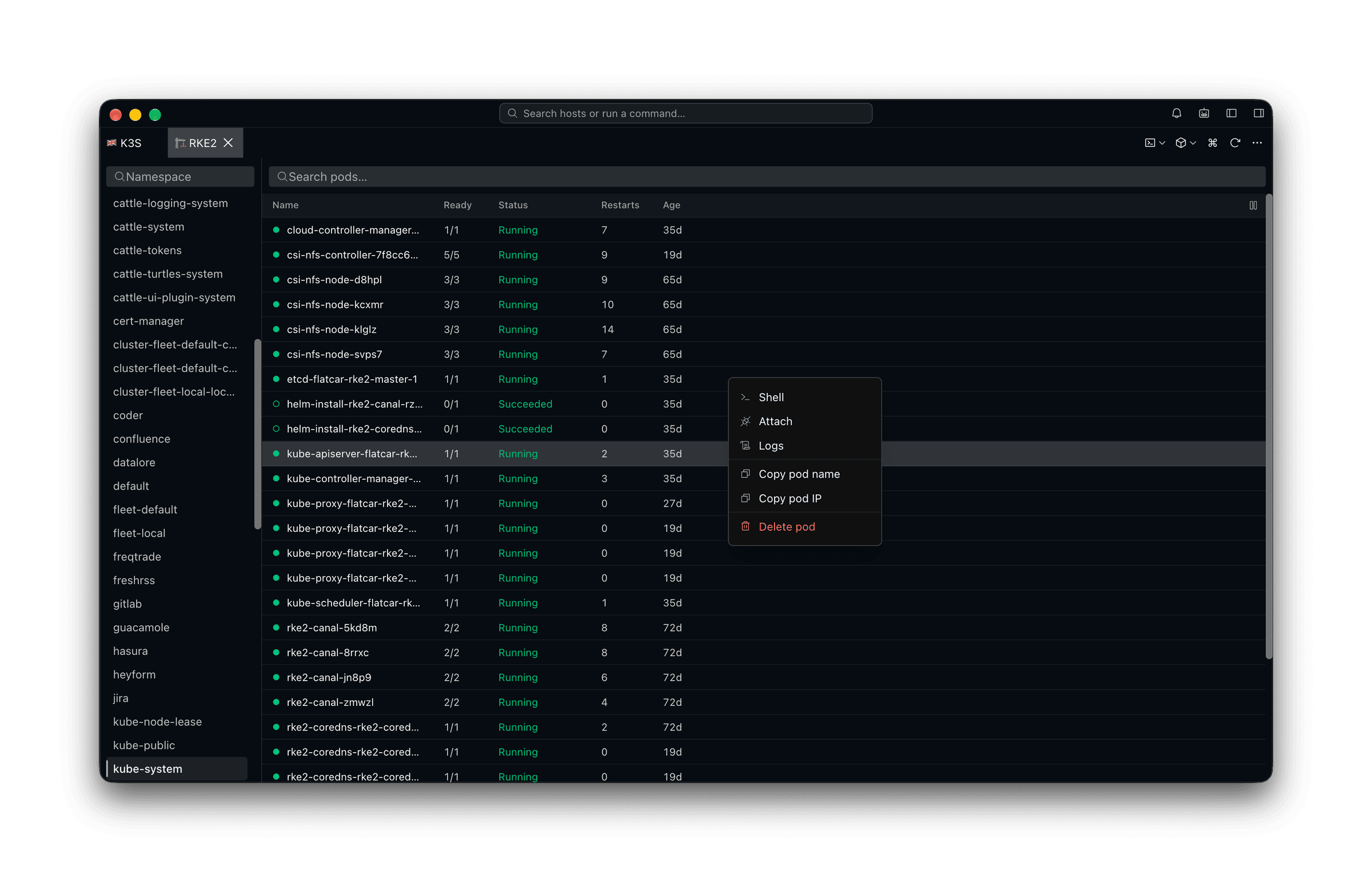
Namespace, pod, logs, shell — one click each
The four things a k9s session is almost always doing, without the learning curve for someone who opens a cluster twice a week. Right-click the pod and pick the verb.
The classic tools
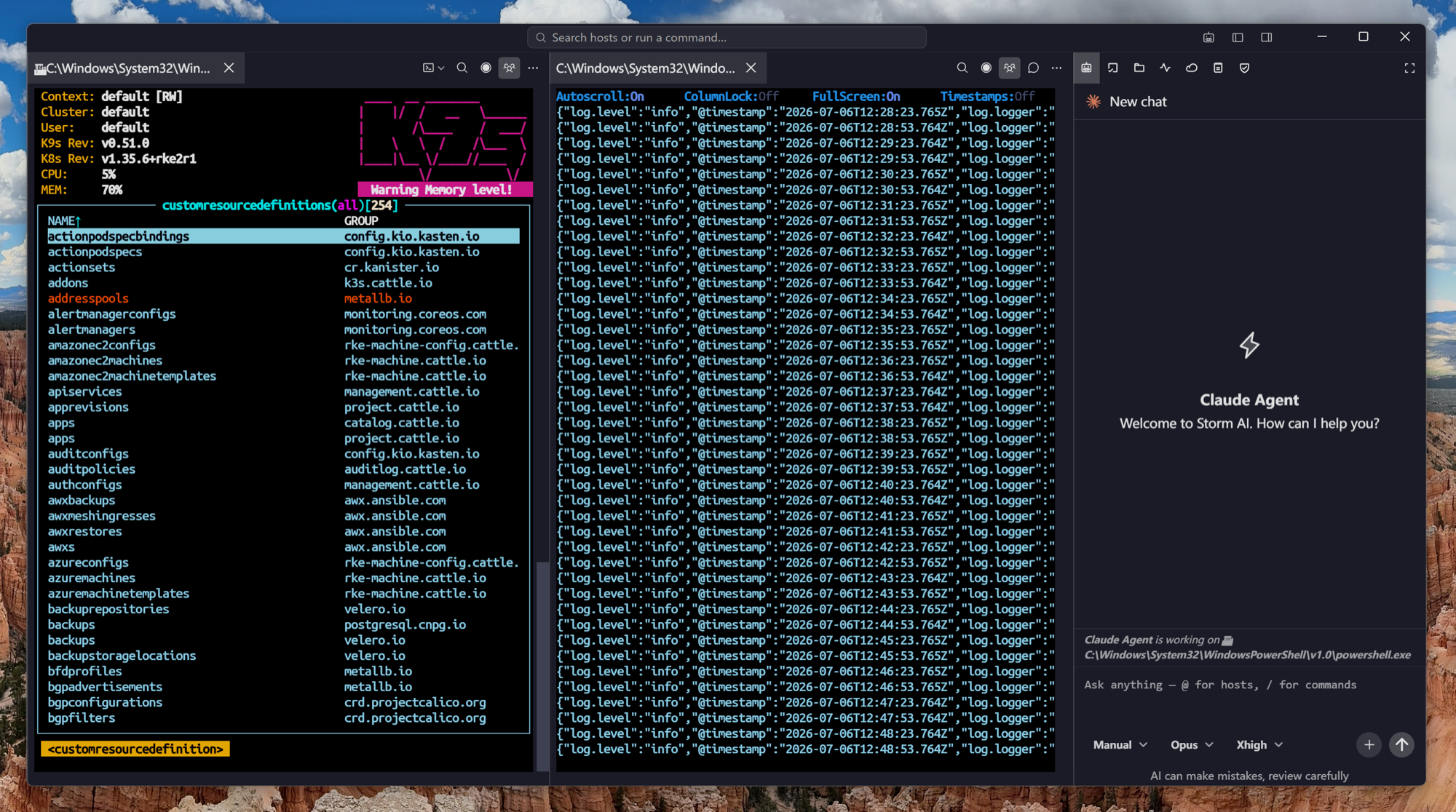
And k9s itself, in a pane
Nothing here takes your tools away. The cluster shell is a real shell with KUBECONFIG already pointed at the profile you picked — so k9s, kubectl, helm and kustomize run against the right cluster, in the same window as everything else.
What a TUI cannot do
The cluster is not the only thing you administer
The reason to use a desktop client is everything else in the host list — the database box, the switch, the CI runner, the node itself.
AI in the pane
An agent that reads what the container is printing
A key binding cannot read a log for you. Every session — pod shell, logs pane, cluster shell, node shell — is readable and drivable by the agent, so it works from the output in front of you.
Frequently asked questions
- Does it cover every resource type like k9s?
- No. Pods and nodes are what the browser shows. For CRDs, deployments and the long tail, open a cluster shell and run kubectl or k9s there — its KUBECONFIG already points at the profile you picked.
- Can I still use kubectl?
- Yes, and most people should for anything beyond the daily loop. The cluster shell exists for exactly that, and nothing here takes over your kubeconfig or your context.
- Does it work on a remote jump box?
- No — it is a desktop and mobile application, not a binary you scp to a bastion. If your cluster is only reachable from a jump host, k9s there is the better answer.
- Is Kubernetes support free?
- It is a Pro feature. SSH, Mosh, SFTP, FTP, S3 and WebDAV are in the free plan.
- Does it work on EKS, GKE and AKS?
- Yes, including exec-credential kubeconfigs, which is how those providers authenticate.