
Kubernetes terminal
A terminal that treats Kubernetes as a first-class citizen
Pick the pod, pick the verb: a shell inside it, its logs, or attach to the process already running. When you want the classic tools, a cluster shell has kubectl and helm pointed at the same profile — and when the problem is under the pod, a root shell on the node itself. The AI agent works in all of them.
Windows, macOS, Linux, Android, iOS & Web.
One click per verb
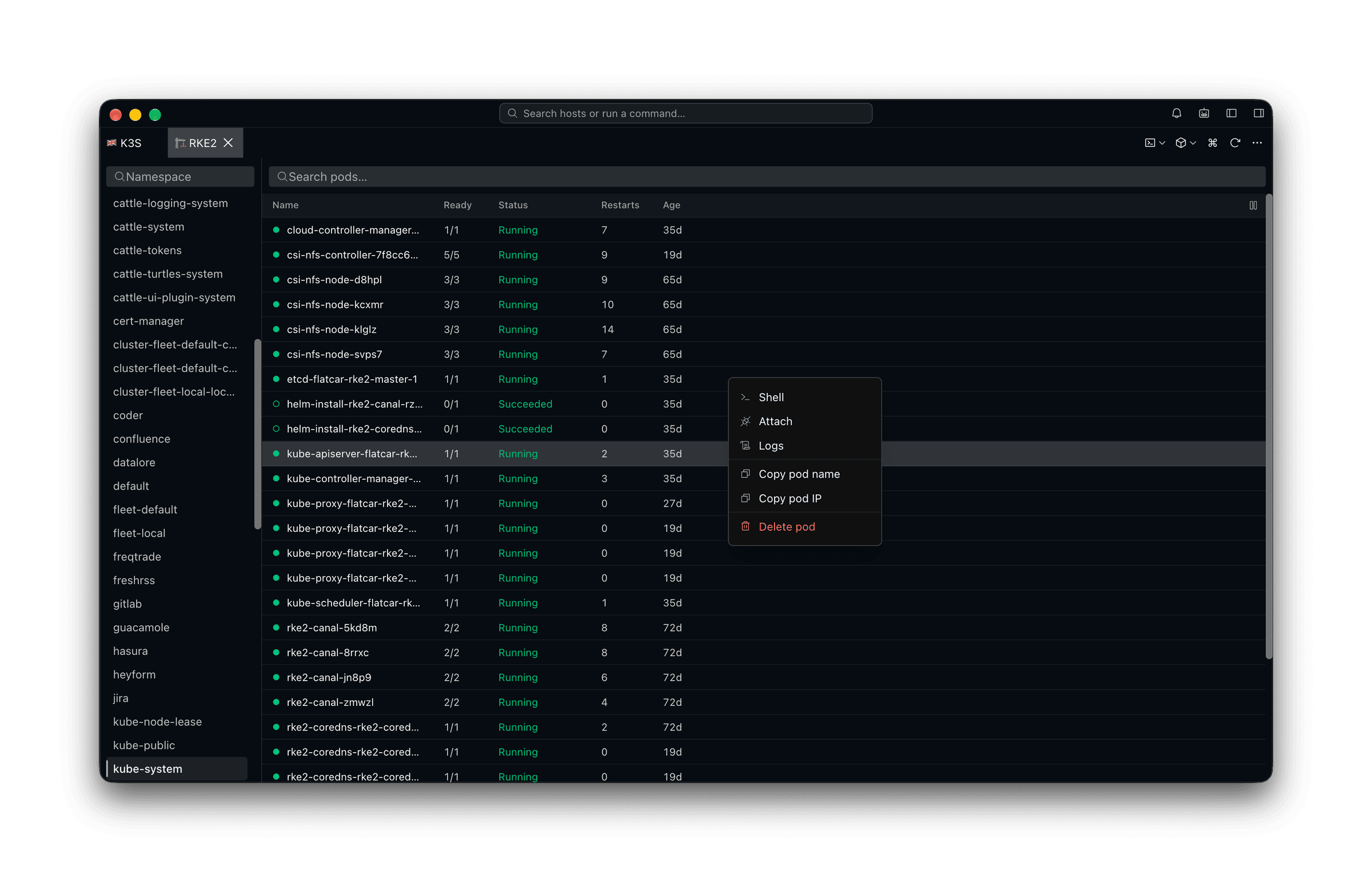
Shell, logs, attach — straight off the pod list
Namespaces down the left, pods with ready state and restarts on the right. Right-click the one that is misbehaving and pick what you actually want from it — no invocation to remember, no flag to look up.
The classic tools
A cluster shell where kubectl and helm already work
Some of the job has no button and should not have one — a helm upgrade, a kustomize build, a kubectl patch you wrote once and keep. The cluster shell is a real terminal with KUBECONFIG already pointed at the profile you picked, so everything you know still applies.
Under the pod
A root shell on the node, without an SSH key for it
Disk pressure, a wedged kubelet, a container runtime that needs looking at — none of it is visible from inside a pod. Pick the node and Tempest gets you onto the machine itself.
AI inside the container
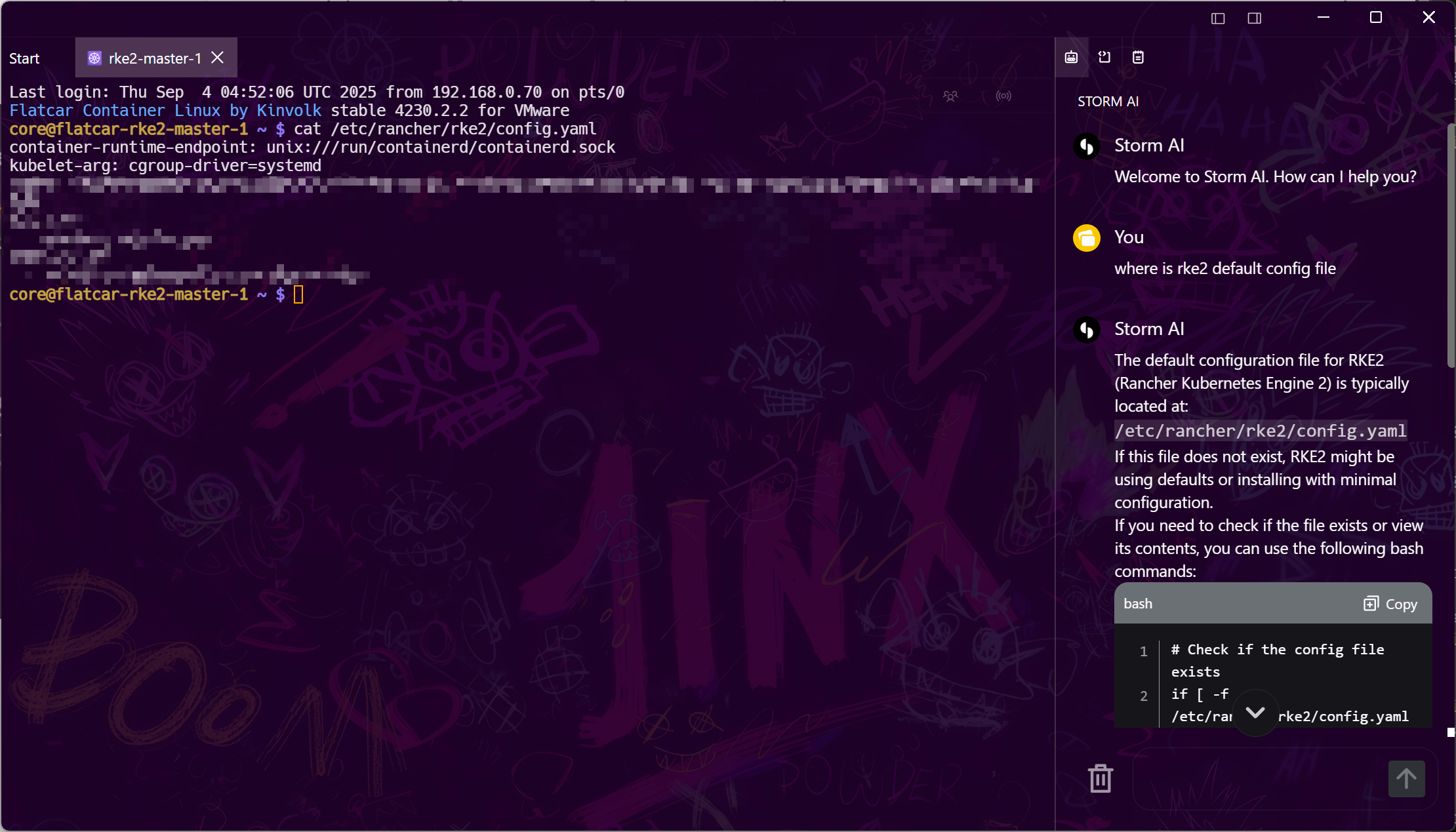
An agent that can read the pane and type into it
CrashLoopBackOff at 2 a.m. does not need a chatbot that recites kubectl documentation. Every session — a pod shell, a logs pane, the cluster shell, the node's host shell — is readable and drivable by the agent, so it can look at what the container is actually printing and act inside it.
Frequently asked questions
- Does Tempest replace kubectl?
- No, and it does not need it either way. Exec, attach and logs go straight to the Kubernetes API, so those work with no kubectl installed at all. Everything else — helm, kustomize, a patch you wrote once — belongs in the cluster shell, which is a real terminal with KUBECONFIG already set from the profile.
- Can I manage multiple clusters at once?
- Yes — that's the point. Clusters are profiles you switch or open side by side, so dev and prod are never one ambiguous context switch apart.
- Does the Kubernetes support work on mobile?
- The pod list, exec, attach, logs and node shells all work on Android and iOS against the same synced profiles. The cluster shell is desktop-only — it runs kubectl and helm as local processes, which phones do not have.
- Is Kubernetes support in the free plan?
- Kubernetes is a Pro feature. The free plan covers SSH, Mosh, SFTP, FTP, S3, and WebDAV; Pro adds Kubernetes, RDP, VNC, serial, and the AI agent.
- How does the node shell work, and what does it need?
- Tempest schedules a small privileged pod on the node you picked, steps out of it into PID 1's namespaces, and deletes the pod when the session ends — the same trick as kubectl debug node. It needs permission to create a privileged pod in the namespace you are browsing; a cluster where that is denied will refuse it, which is the RBAC working.
- How do credentials stay safe?
- Cluster credentials live in the same zero-knowledge end-to-end encrypted store as SSH keys — synced ciphertext, decrypted only on your devices. Where credentials live