
PuTTY alternative
The PuTTY alternative that syncs, transfers, and thinks
PuTTY is a fine single-window SSH terminal — and that's where it stops. Tempest wraps the same battle-tested SSH in a modern app: tabs and split screens, a real SFTP file manager, encrypted profile sync, and a built-in AI agent that fixes errors as they happen.
Free plan available. Windows, macOS, Linux, Android, iOS & Web.
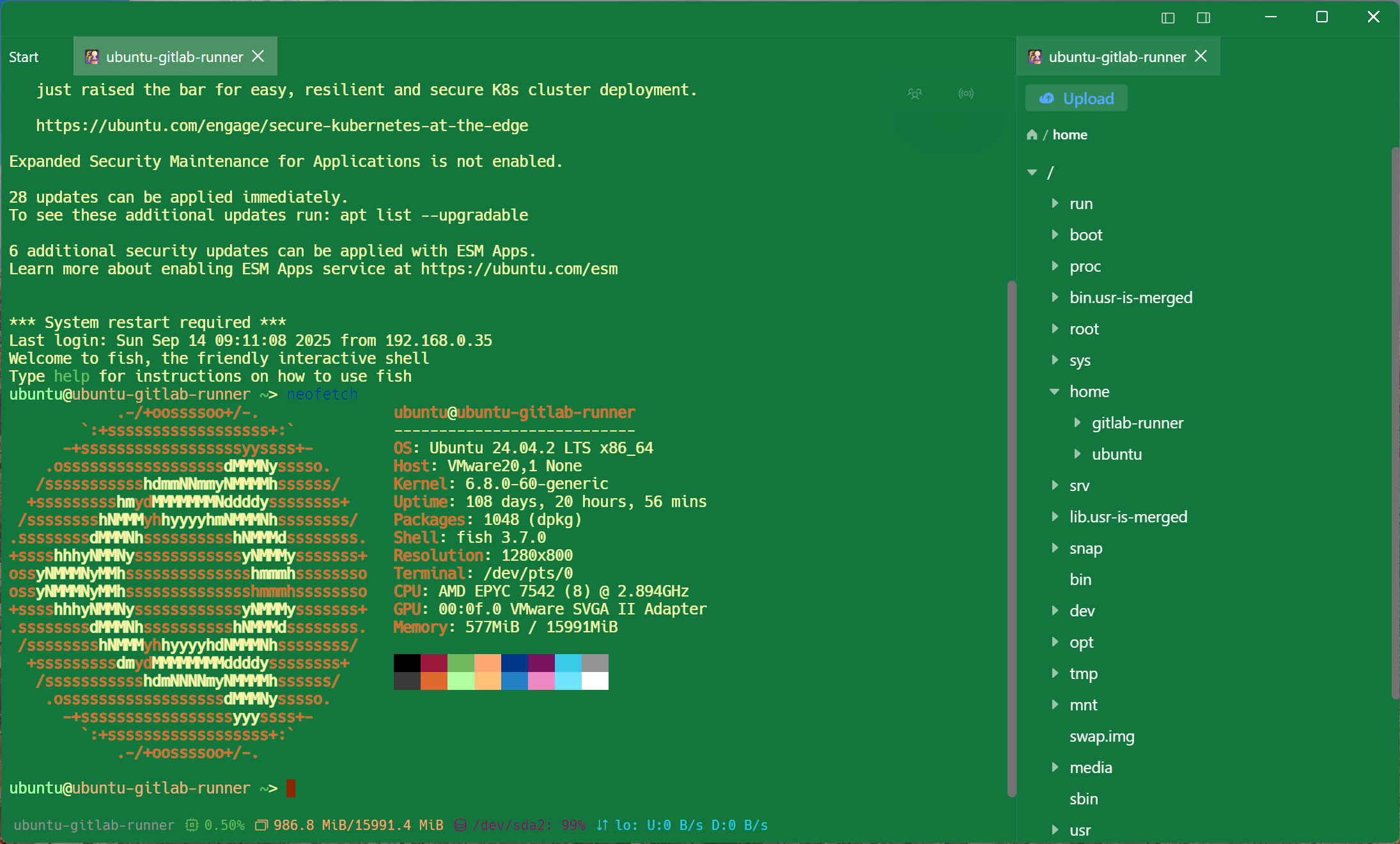
Tempest vs PuTTY
The honest version: PuTTY is free, tiny, and trusted. Here's the short list of what you gain by switching.
| Tempest | PuTTY | |
|---|---|---|
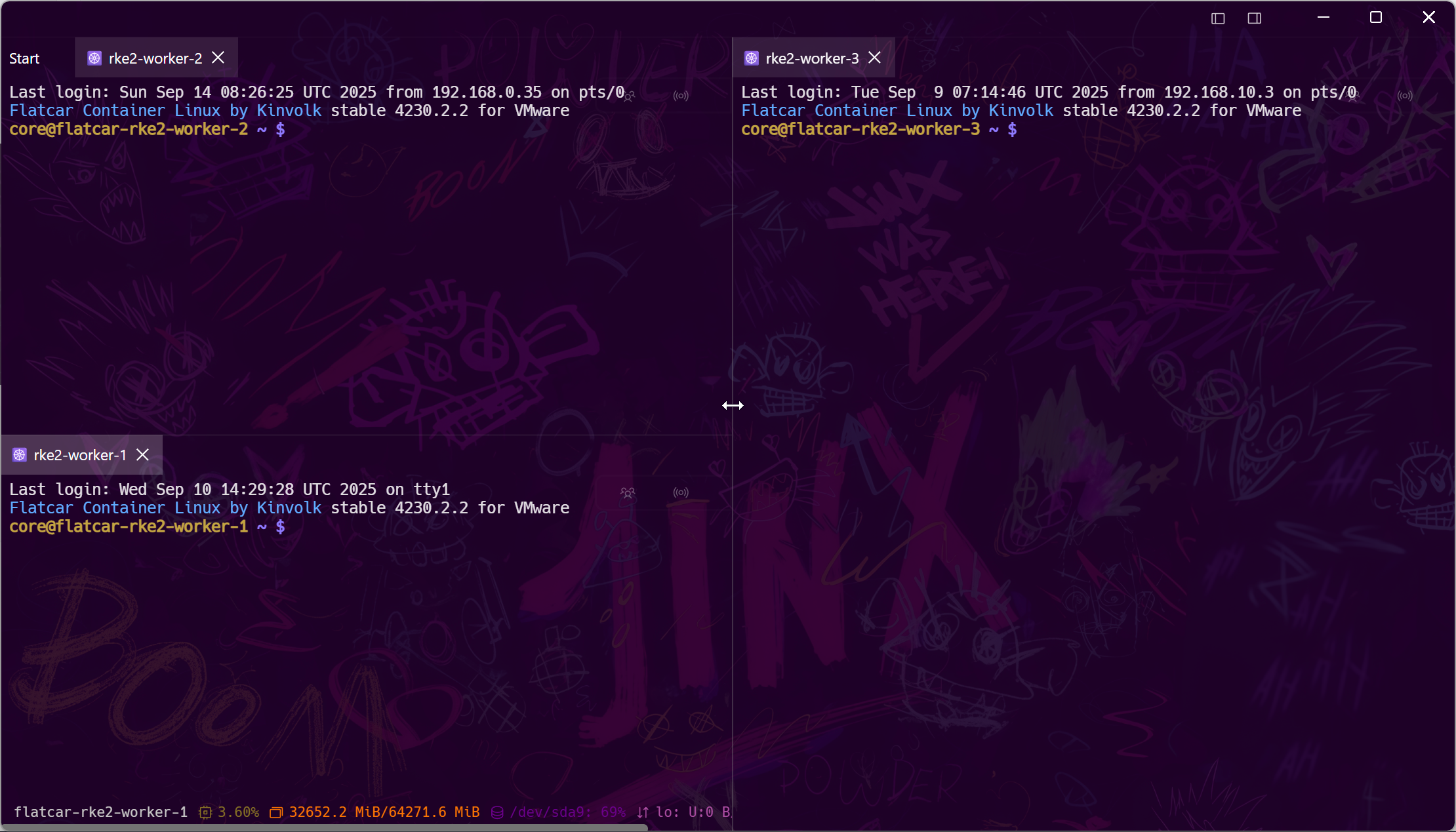
| Tabs & split screens | Yes — grid workspace | One window per session |
| SFTP | Graphical file manager + editor | psftp command line |
| Connection sync across devices | Zero-knowledge E2E encrypted | Manual export of registry settings |
| Mobile apps | Android & iOS with session handoff | None |
| AI assistance | Built-in agent, natural language to shell | None |
PuTTY comparisons based on the official PuTTY 0.83 distribution's documented features.
The daily difference
Everything PuTTY makes you do by hand
The gap isn't the SSH protocol — it's the fifty small frictions around it.
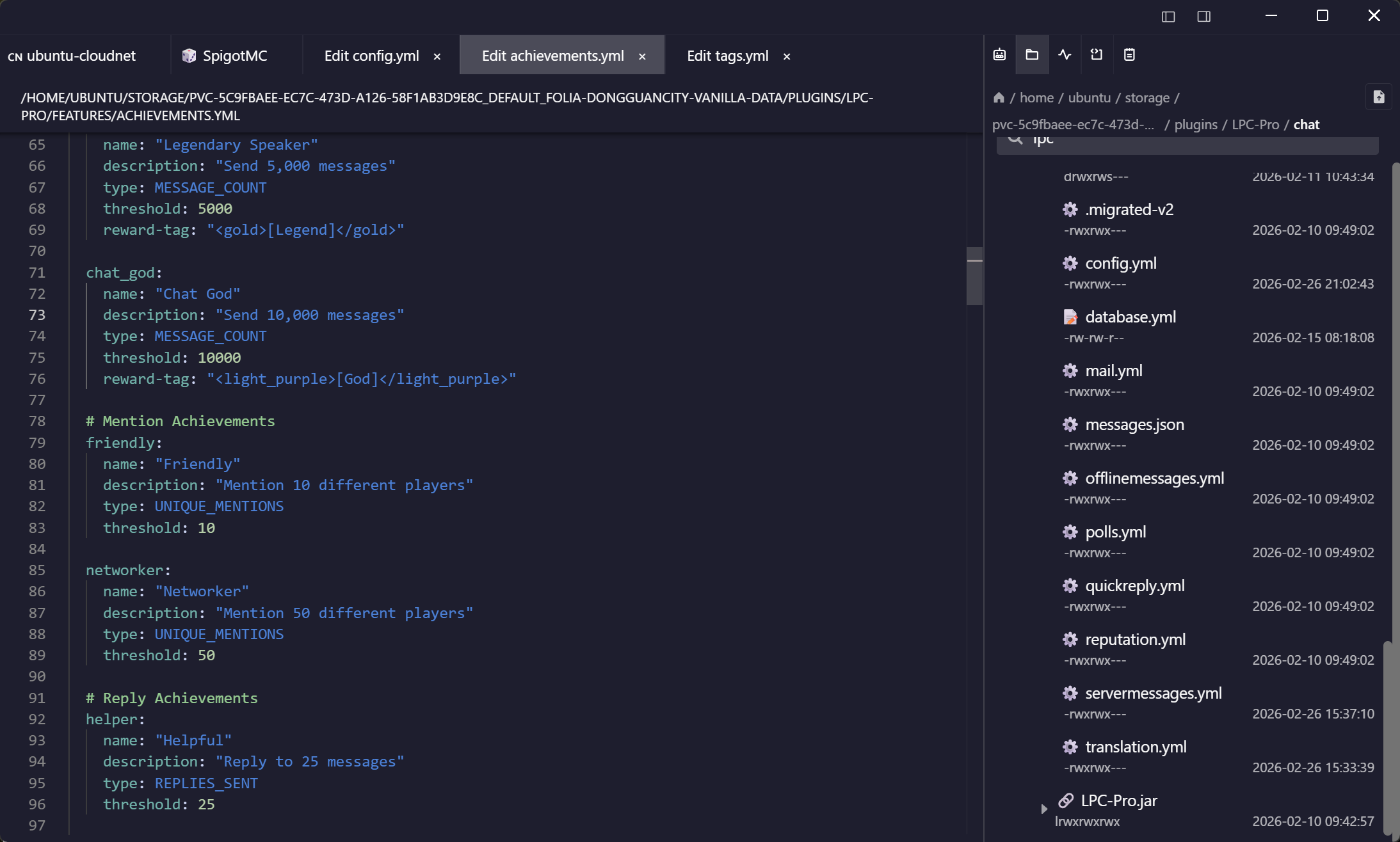
Files without the second app
Drop WinSCP too — SFTP is built in
The classic Windows setup is PuTTY plus WinSCP side by side. Tempest is both: terminal and file manager in one window, with an editor that saves straight back to the server.
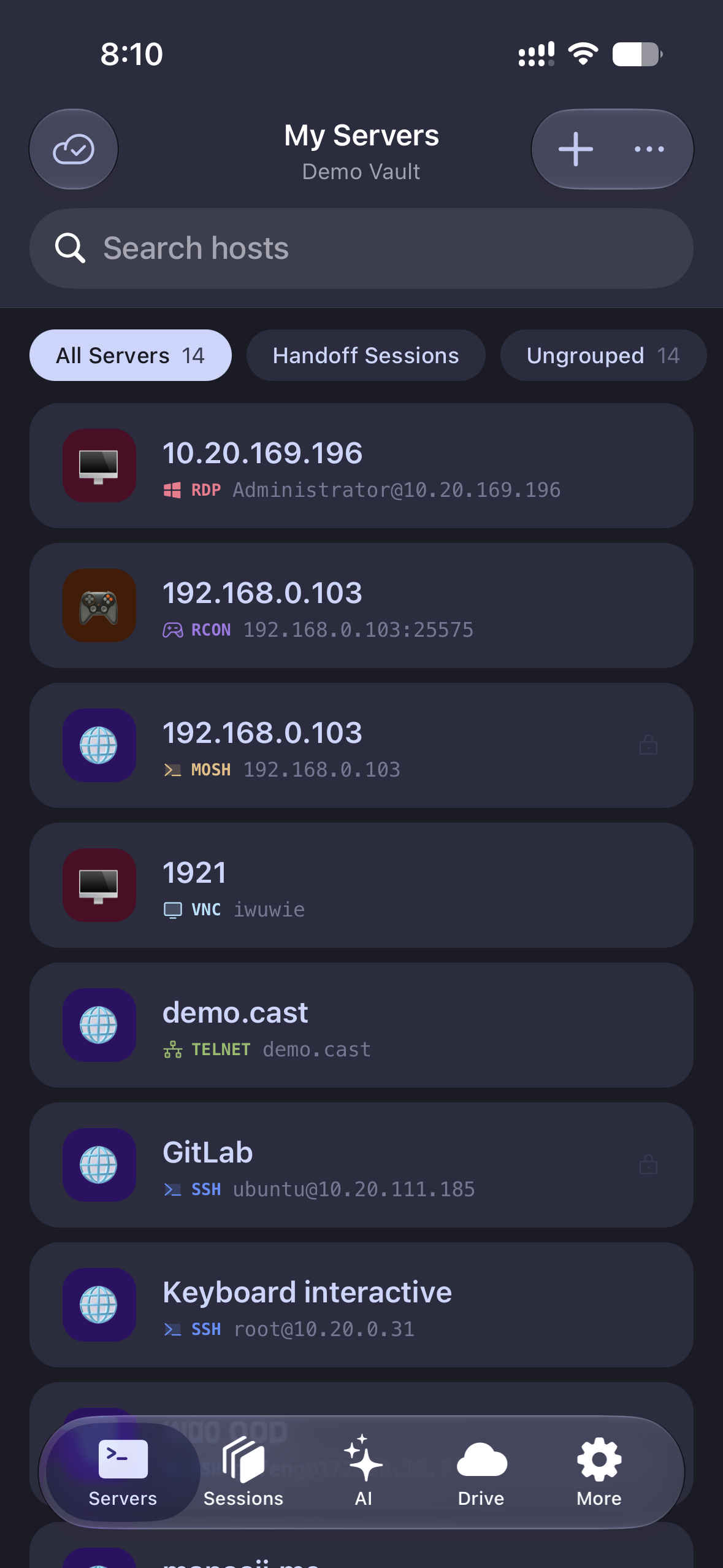
Beyond the desktop
Your sessions follow you to your phone
Start a session at your desk, pick it up on Android or iOS on the train. PuTTY ends where your Windows PC ends; Tempest doesn't.
Modern security
Hardware keys and post-quantum crypto
Authentication has moved on since the 1990s. Tempest keeps up without config-file surgery.
Frequently asked questions
- Is Tempest free like PuTTY?
- There is a permanent free plan with SSH, Mosh and SFTP on every platform, on one synced device — enough to retire PuTTY and browse files without a second app. Pro adds unlimited synced devices, jump hosts, port forwarding, the SFTP editor, RDP, VNC, Kubernetes and the AI agent.
- Does Tempest support the same protocols as PuTTY?
- SSH, Telnet, and serial are all supported, plus everything PuTTY never had: SFTP with a GUI, Mosh, RDP, VNC, RCON, Kubernetes, and cloud storage.
- Is there a portable or offline mode?
- Tempest works offline for direct connections; an account is only needed for encrypted sync and team features. Credentials are stored zero-knowledge encrypted, never in the Windows registry. Where credentials are stored
- Why not just keep using PuTTY?
- If you SSH into one box from one Windows PC and never touch files, PuTTY is genuinely fine. The moment you juggle multiple servers, machines, or file transfers, the copy-paste overhead costs more than a modern client does.