
SSH key management
Keys that are not scattered across four laptops
The usual state of SSH keys is a dotfile on each machine, a passphrase you reuse, and one key that has been everywhere since 2019. Tempest has a keychain: generate a key, attach it to hosts, sync it sealed, and use hardware or short-lived credentials where they belong.
Windows, macOS, Linux, Android, iOS & Web.
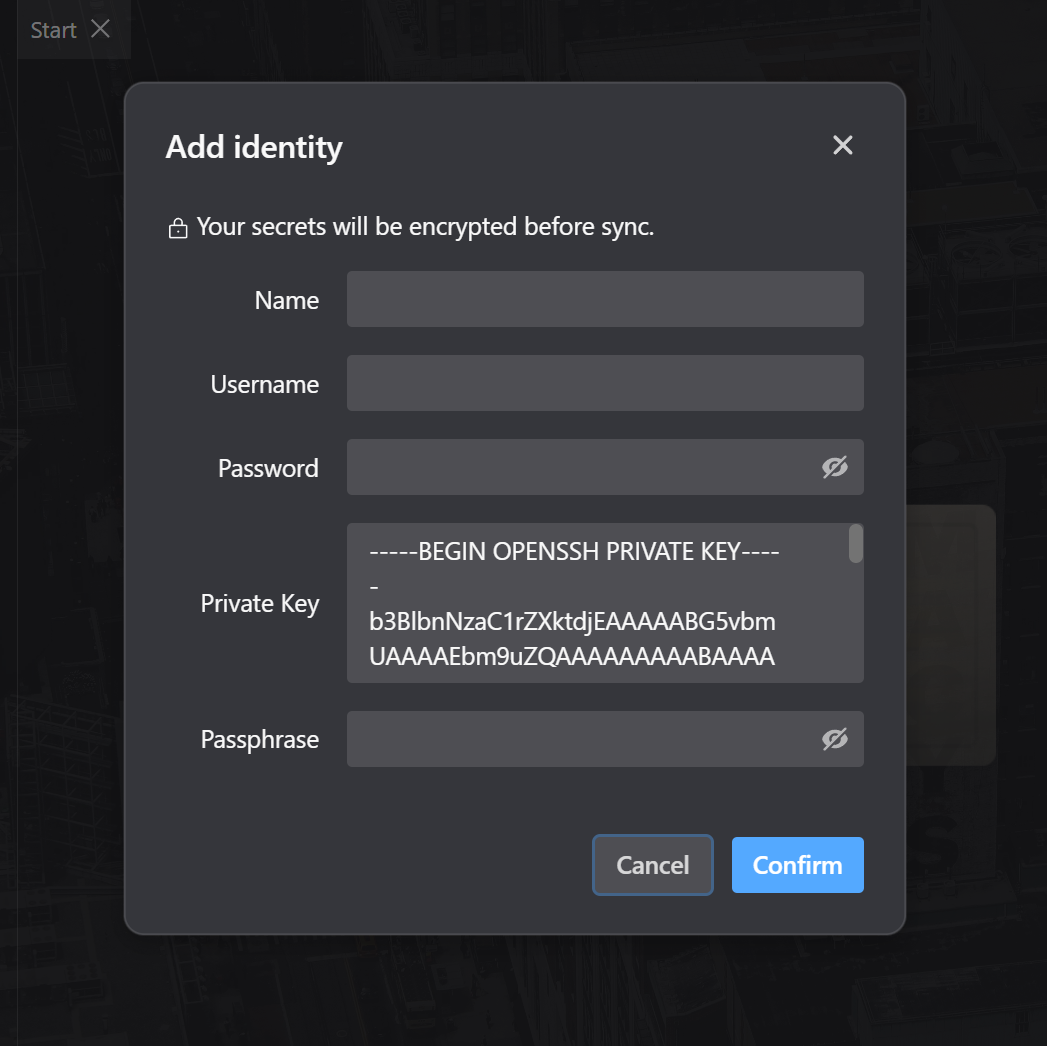
The keychain
Generate, store, attach
A key is a credential with a lifecycle, not a file you copy around until you lose track of it.
Hardware
FIDO2 keys, so the private half cannot leave
A security key holds the secret in hardware and requires a touch. It is the cheapest large improvement available to most people's SSH setup.
Not storing keys at all
Certificates and credentials issued at connect time
The strongest answer to key sprawl is to stop having long-lived keys. Both routes are supported.
The algorithms
Post-quantum key exchange, and control over the rest
Recorded traffic is decrypted later; the key exchange is where that is decided today.
Frequently asked questions
- Where are my private keys actually stored?
- Encrypted on the device with a key derived from your master password, and synced as ciphertext the server cannot read. You can also keep keys outside the app entirely and use an agent socket. Where credentials are stored
- Does it work with a YubiKey?
- Yes — sk-ed25519 and sk-ecdsa keys are supported, including keys you already enrolled for OpenSSH.
- Can I use 1Password's SSH agent?
- Yes. Point the agent socket setting at it and the keys never enter the app at all.
- Does it support OpenSSH certificates?
- Yes — a certificate can be attached alongside the key on a host, which is how CA-issued fleets authenticate.
- What if I forget my master password?
- There is a self-service reset that destroys the personal vault and starts again — by design, nobody can recover the contents, because nobody else ever had the key. Resetting your password